

A B2B SAAS Mobile, Desktop and Web app for finance intelligence.
Created a new Tablet App concept solution which incorporates features from both Desktop and Mobile Apps with the aim to seek funding from Stakeholders for a fully fledged experience. The tablet offering was supposed to allow desktop functionality in a portable form.

Problem
The business received feedback from customer that compared to competitors LSEG did not have a Tablet app which allows users on the move to access a desktop like experience on the go. Therefore, the aim was to understand how we would develop a tablet solution.

Solution
Looking at the most popular user journeys
based on statistical information a
comprehensive site audit was conducted.
Following that I created a new Tablet App UI
concept solution which incorporates features
from Desktop and using the design language
from the Mobile App with the aim to seek
funding from Stakeholders for a fully fledged
experience.

Working with
Product Manager
Design Manager
Designers
Technical Architect
Content Manager

Platforms
Desktop App
Tablet App
Mobile App
Web App
Roles and Responsibilities
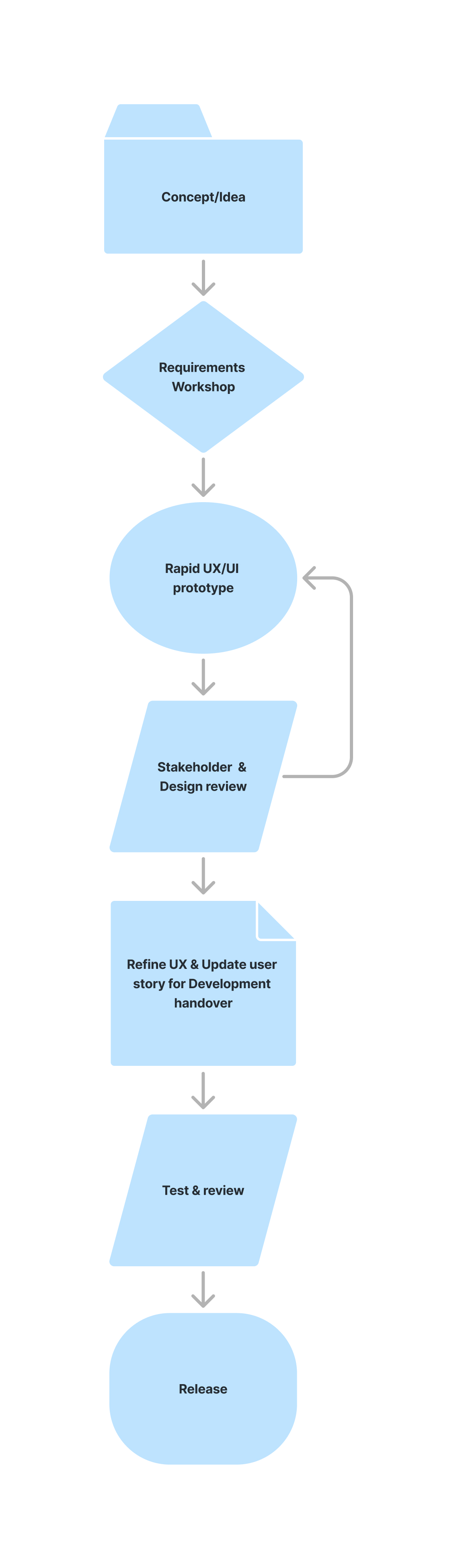
In Depth Analysis
Looking at the current Mobile and Desktop Workspace applications I provided detailed feedback section by section and issues on a global scale that needed to be addressed before we started development on the Tablet app.
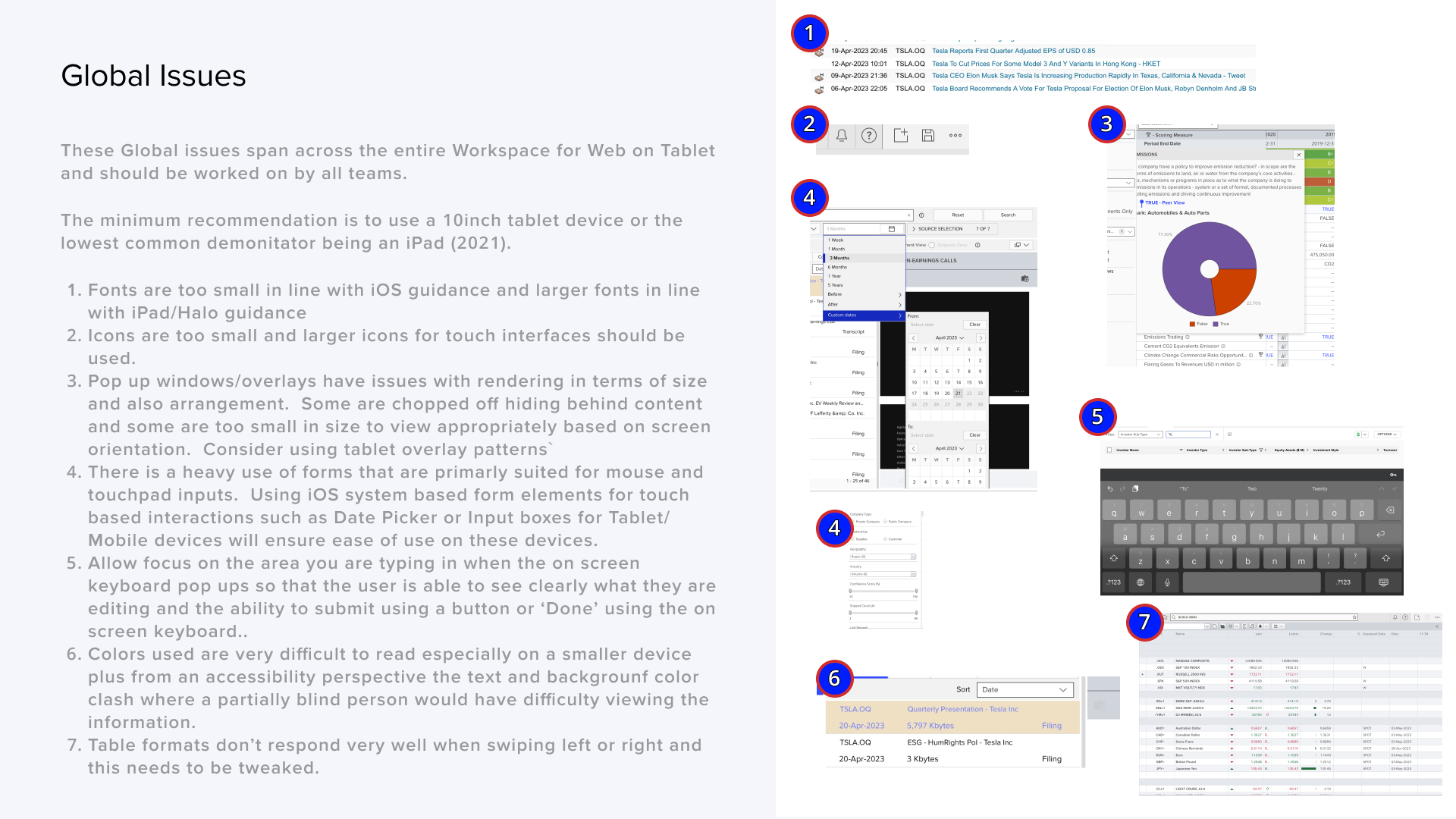
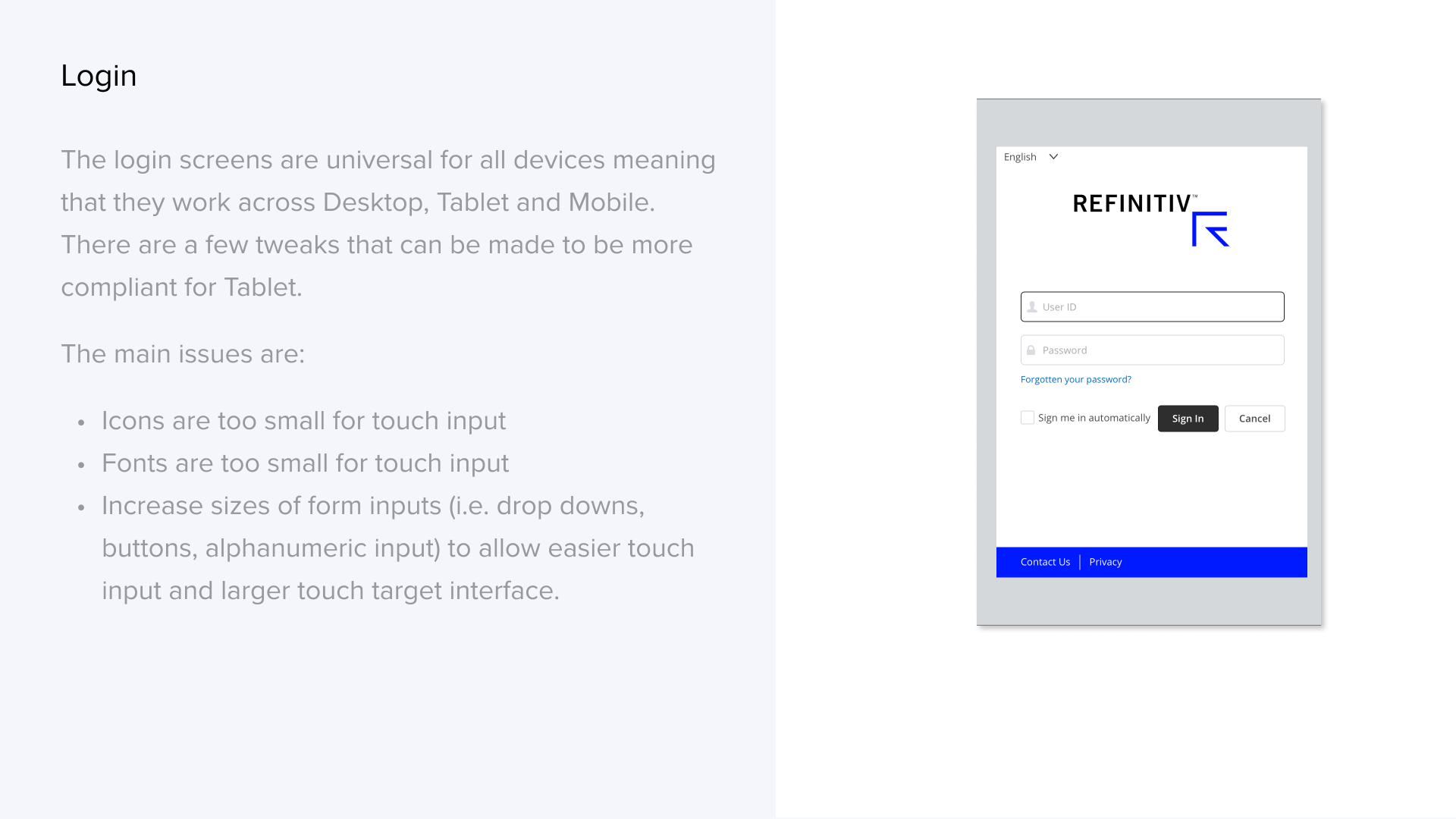
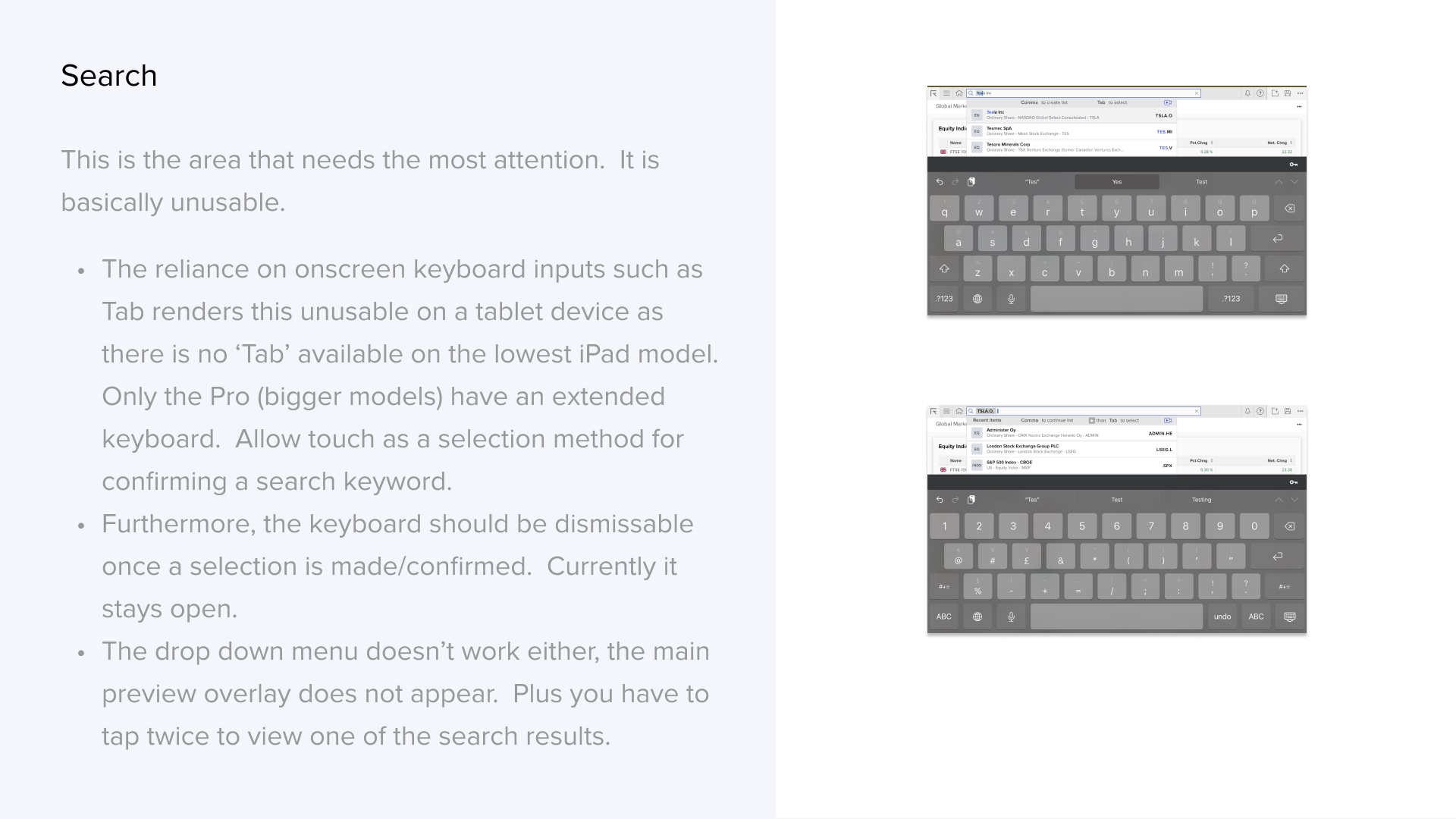
Presenting to stakeholders
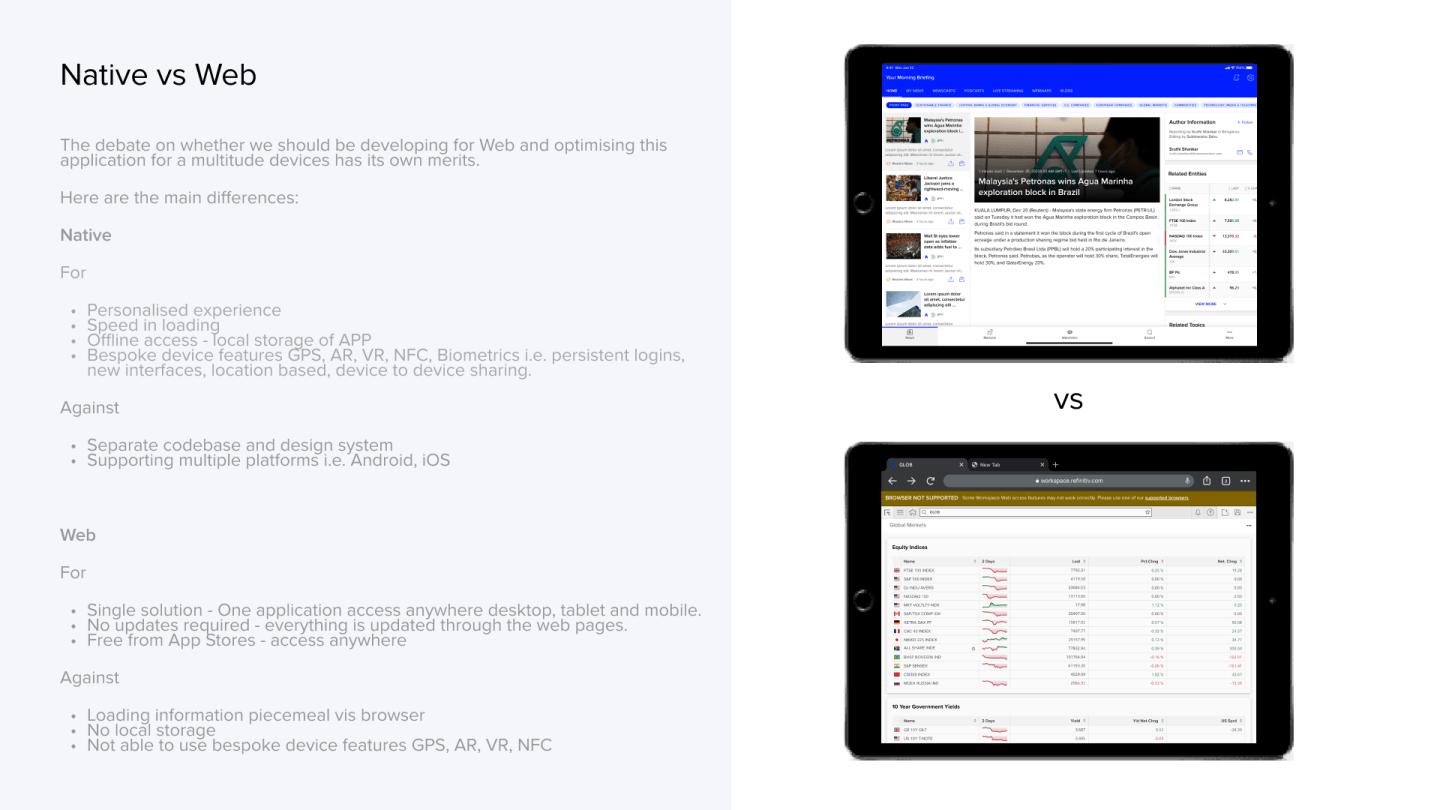
From the findings above I recommended a solution in this case to develop a Native Appand presenting the pros and cons of Native vs a Web App.
App architecture and navigation
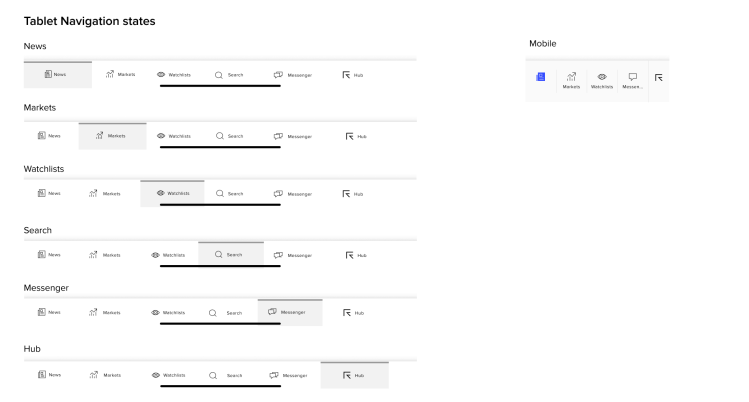
Developing an adapted navigation solution from Mobile to make better use of the extra real estate space afforded on a Tablet device.
Designs
Adapting the Mobile and Desktop screens and combining them to product a Tablet version which used a hybrid approach with Web and Native app elements. Using an established Figma design library and patterns to produce the visual designs.

Search
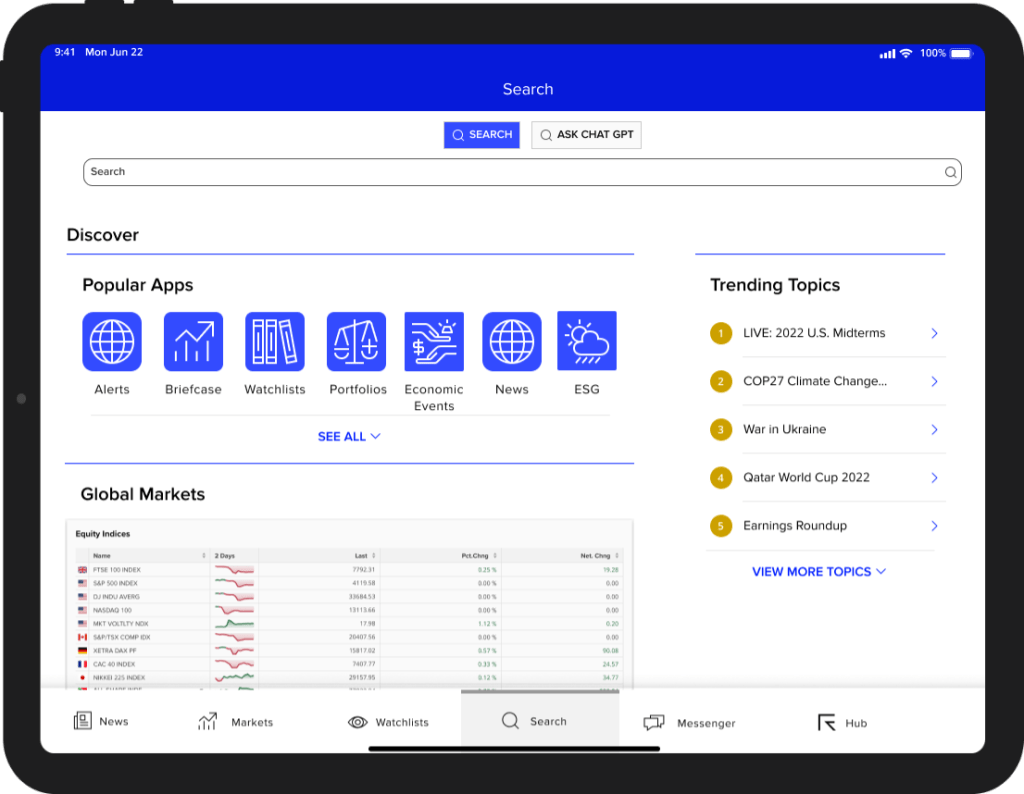
Understanding the desktop search and also, the mobile version. I decided to look at user data to inform what search functionality was being used on the Search area. The main focus was to have a prominent search bar then giving the user options to the most popular Apps that were being used. Following this the most trending topics and Global Market trends.
Search – quick preview
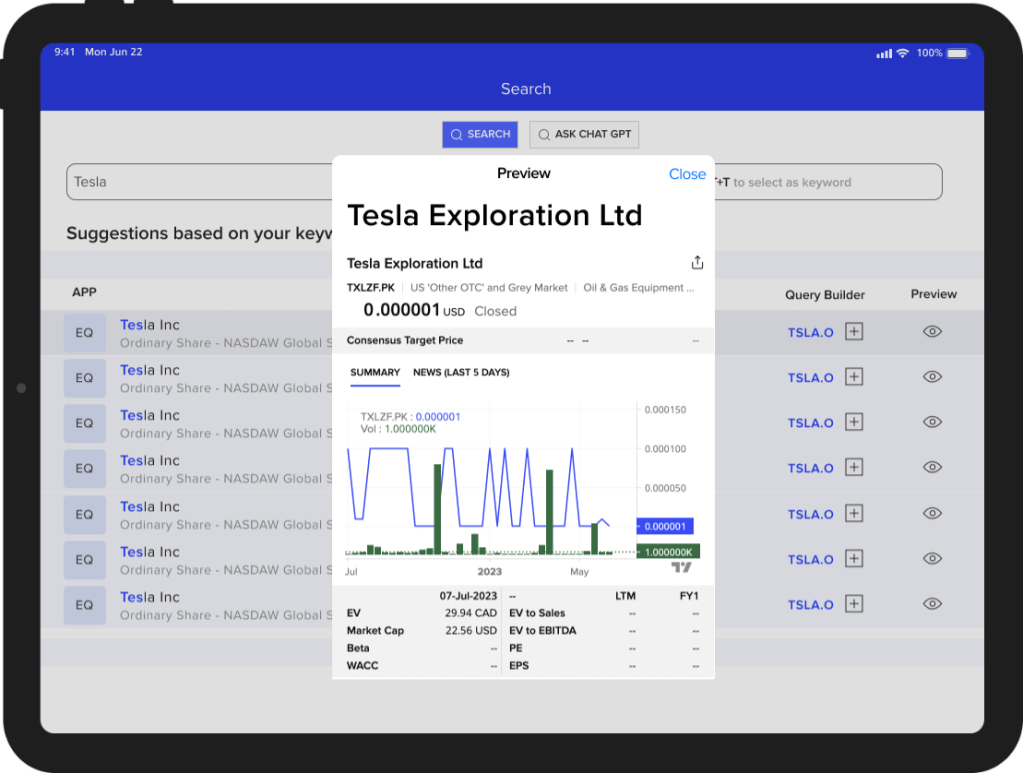
Once a user conducts a search they are presented with a quick preview to scan the information in this case a company and its share price history.
AI search integration
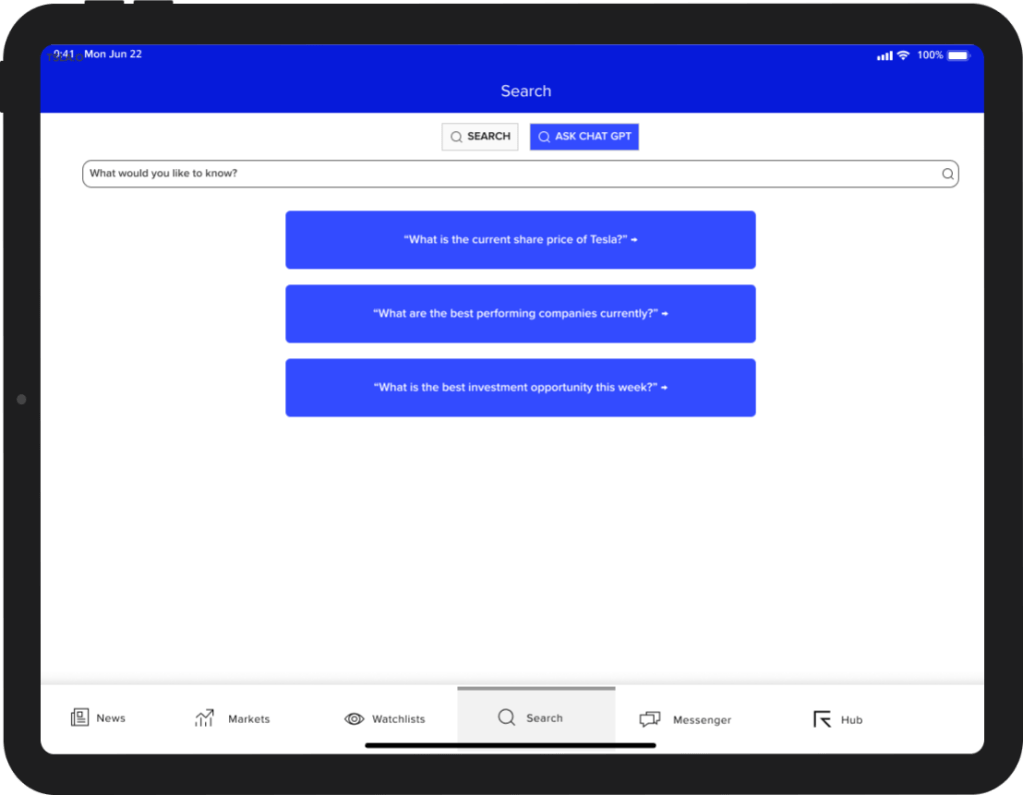
One of the criteria of the project was to integrate AI Chat GPT features as part of the search interface. As this was a prototype I focussed on giving this a different interface as the results set at the time were based on a natural query language and the results given by AI where more text based which differs to the traditional search mechanism which connects to the integrated apps within Workspace.
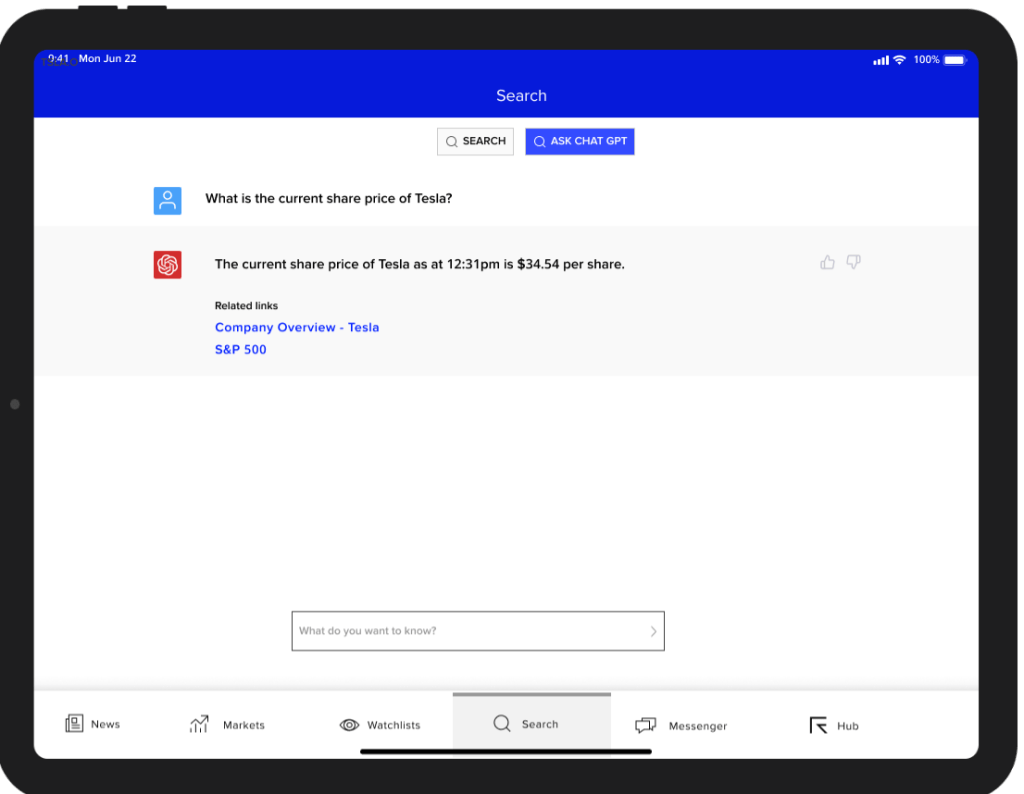
AI query results
Here is an example of a user asking a question around the share price and the response received from AI. From this the user can navigate to the relevant in app links to get more information.
My Project Deliverables Output
Successfully delivered a complete heuristic evaluation of the Desktop App and Mobile App and the UX strategy on how to create a Tablet app.
- 3 month contract.
- A complete site audit of the Desktop app
- Key recommendations based upon findings highlighting the major usability issues that need to be dealt with in order to support a Tablet offering.
- General design guideline based upon iOS design system and mobile design system
- Building a conceptual Tablet version including key areas of the App and Navigation based upon the Mobile design system and how that scales from Mobile to a larger screen device.
- Integration of touch screen search and ChatGPT AI services.
 rumanbehlim.com